Welcome to Khushi telecom, This blog about of mobile phone software problem & Solution. Here you find all information about android, windows mobiles, iphones- flashing, repair, unlocking, box setup, Flash tools, firmwares. You also get easy tutorial & solution.
Uploaded Firmware files are Read via Different flash box. (such as Miracle box,Infinity CM2 box, Pirhana box ETC.)
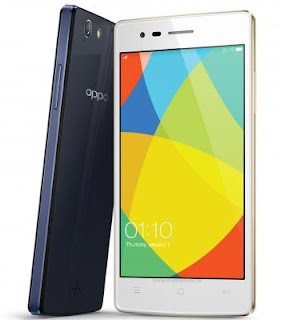
Here we upload Oppo Neo 5 1201 CM2 readed Scatter firmware. This File is read by Infinity CM2 dongle. From new & fresh Oppo Neo 5 1201 mobile, 100% Tested Oppo Neo 5 1201 CM2 readed Official firmware, This file recover your death boot, solve your white display or blank lcd, Also remove all kind of viruses. You can easily Download from our link. Giving you fresh Firmware Download link. There is a short Description of hardware & photos of your File.
Software info: MT6582_OPPO_1201_1201EX_11_150709_20160331_205037

Click the download Here for the Oppo Neo 5 1201 Scatter Firmware (flash file) from google link. Downloaded file contains the firmware file, Read report & Flashing instruction.
Download Oppo Neo 5 1201 Scatter Firmware
***Flashing or firmware upgrade Tutorial***
---What is Flashing or upgrading firmware-
***Flash means Re-installing or load a different version of Operating System. A Flashing make your mobile as a new condition.
---Why does flashing a mobile phone-
Flashing required when operating system gets currupted of many software related problem like:-
1: your phone functioning is slow, restarting problem.
2: Sometimes your phones application is not working
3: unfortunately Error your phone.
4: sometimes your phone booting problem is occured.
5: when Virus entered in your phone.
6: when your phone is not on or open.
7: when your phone,s opareting is crashed.
***Re-installing operating system usually make it faster,provide batter battery-life or add new features.
---How to Flash Stock rom or firmware upgrade on a mobile phone-
## The requirements of phone is battery backup of 40% to 50%
Step 1: Download and extract the stock firmware on your computer.
Step 2: Install the USB Drivers (skip if drivers are already installed).
Step 3: Open the SP Flash Tool and load the Scatter File from the firmware folder.
Step 4: Click on Upgrade / Download Button in the SP Flash Tool to Begin the Flashing.
Step 5: Connect your Smartphone to the computer using the USB Driver.
Step 6: Green Ring will appear at the end of successful Flash.
Important Notes:[*] Take a Backup of your smartphone data before flashing, upgrading or instaling the firmware on your smartphone. This Backup can help you to recover the personal data whenever any thing wrong happens.
For more info or face any problem please contact inbox our fan page www.facebook.com/khushitelecom.
we are trying to give our best but use this at your risk, We don,t responsible if there will be something get wrong with you.
Thanks for choosing US & All the best.
we are trying to give our best but use this at your risk, We don,t responsible if there will be something get wrong with you.
Thanks for choosing US & All the best.